You would like to change your rating at Trusted Shops?
Here you can find a step by step guide to make the valuation change simple and uncomplicated.
1. Rating change if you already have a Trusted Shops account:
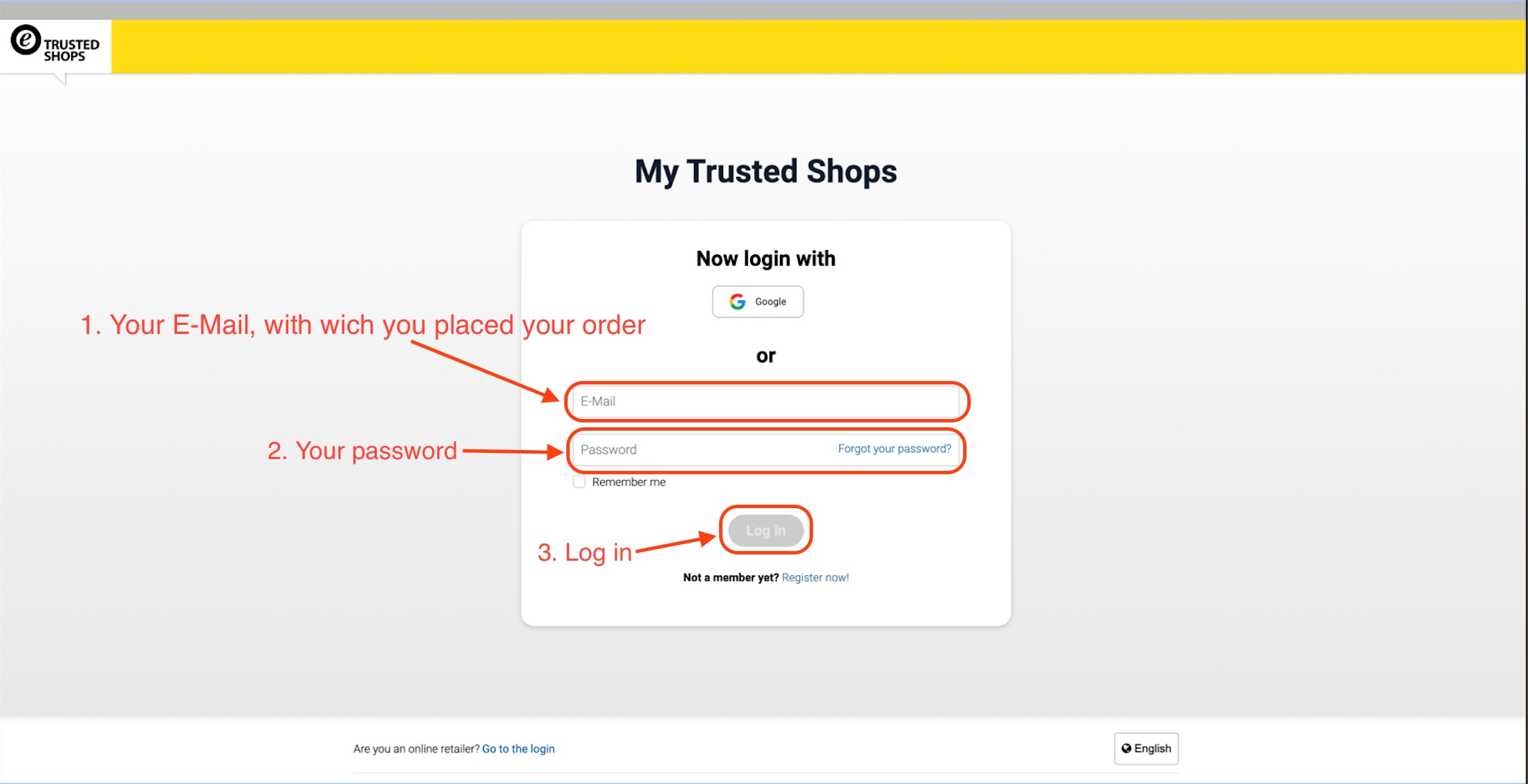
-
Copy the following link into your browser line: https://www.trustedshops.de or click here to skip the second point and go directly to the Trusted Shops login portal.
-
Now click on “Log in” and, if you are logging in as a private individual, click on “Log in” again to be redirected to the login page.
-
Enter your e-mail address that you used when you placed your order with Servershop24 and then enter your Trusted Shops password and click on “Login”.
After the Log in
-
After you have successfully logged in, click on the tab on the left on “My orders”. You will now see an overview of your orders that have been processed with Trusted Shops Buyer Protection.
-
Navigate with your mouse pointer to the Rating column and click on the pencil icon.
-
Now you can change the rating by, for example, adjusting the number of stars and/or adjusting the comment. Then confirm the change by clicking on “Change rating”.
2. You do not have a Trusted Shops account?
Did you submit the rating directly via an e-mail in your e-mail inbox? Then you probably did not create a Trusted Shops account.
-
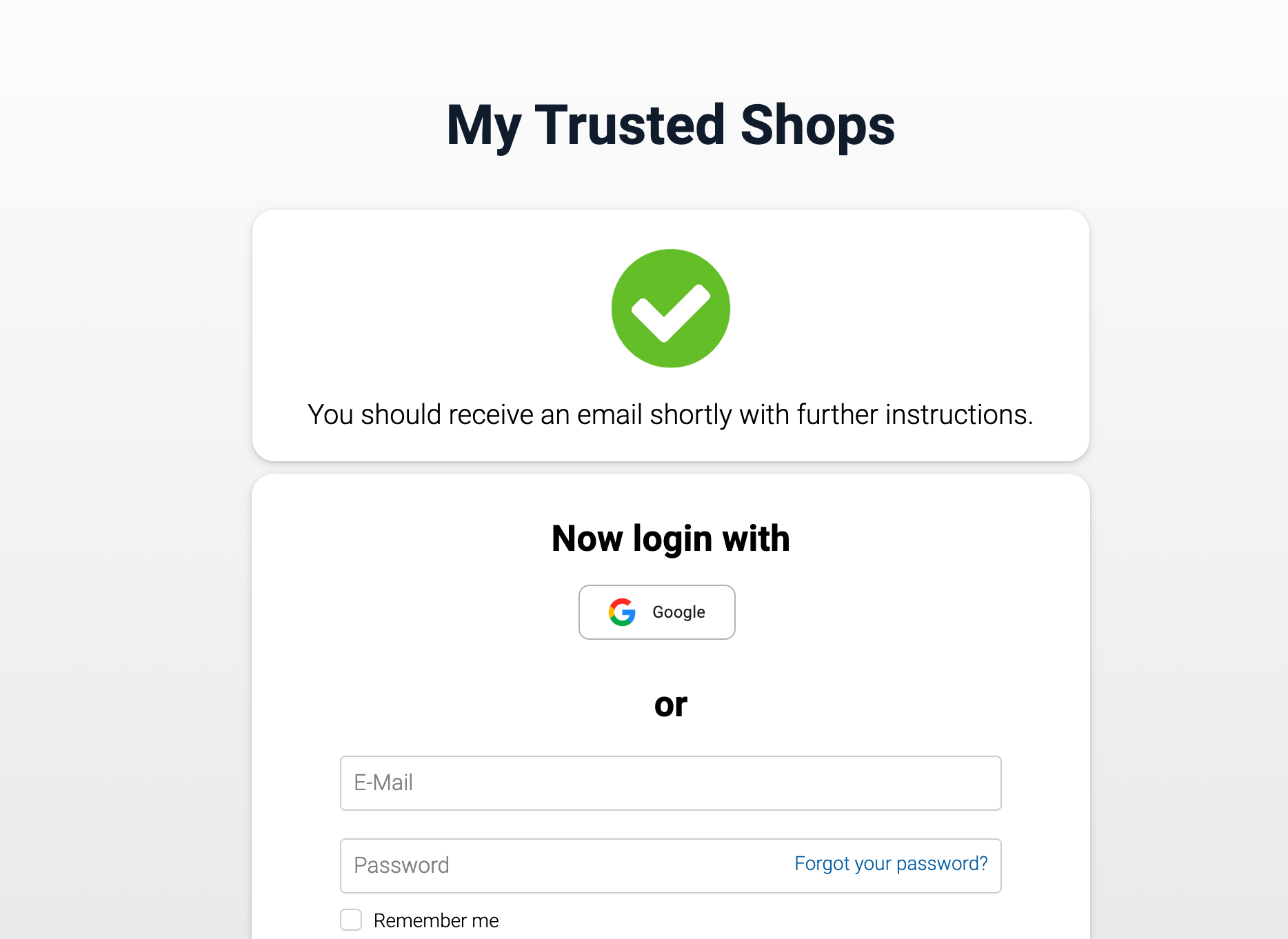
In order to change your rating nonetheless, you must click on “Forgot your password?” in the login portal and then enter the e-mail address used for the order.
-
After entering your e-mail address, click on “Request link” so that you receive the instructions for creating a password in a separate e-mail.
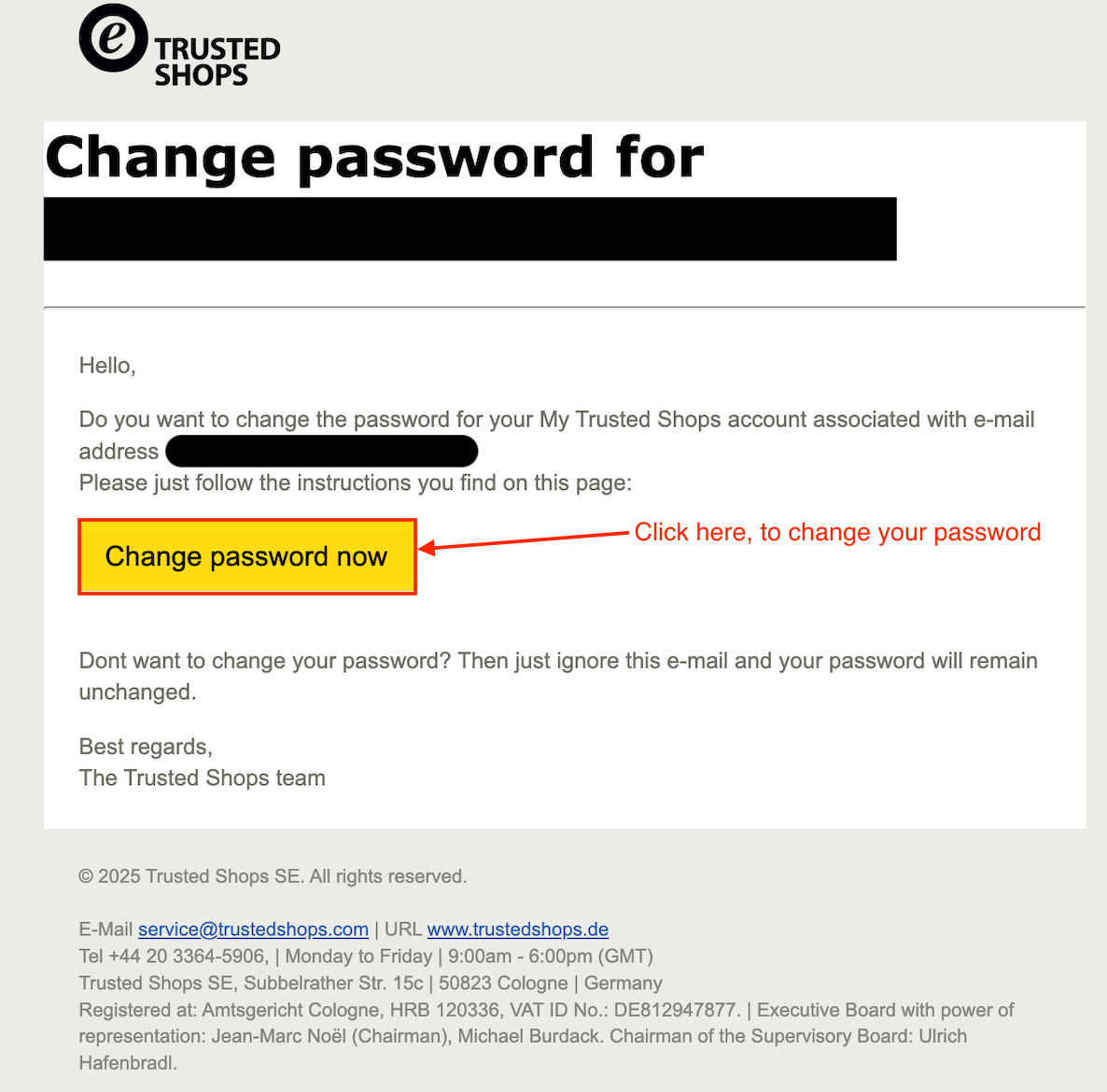
3. In your mailbox you will find an e-mail to change your password, click on “Change password now”.
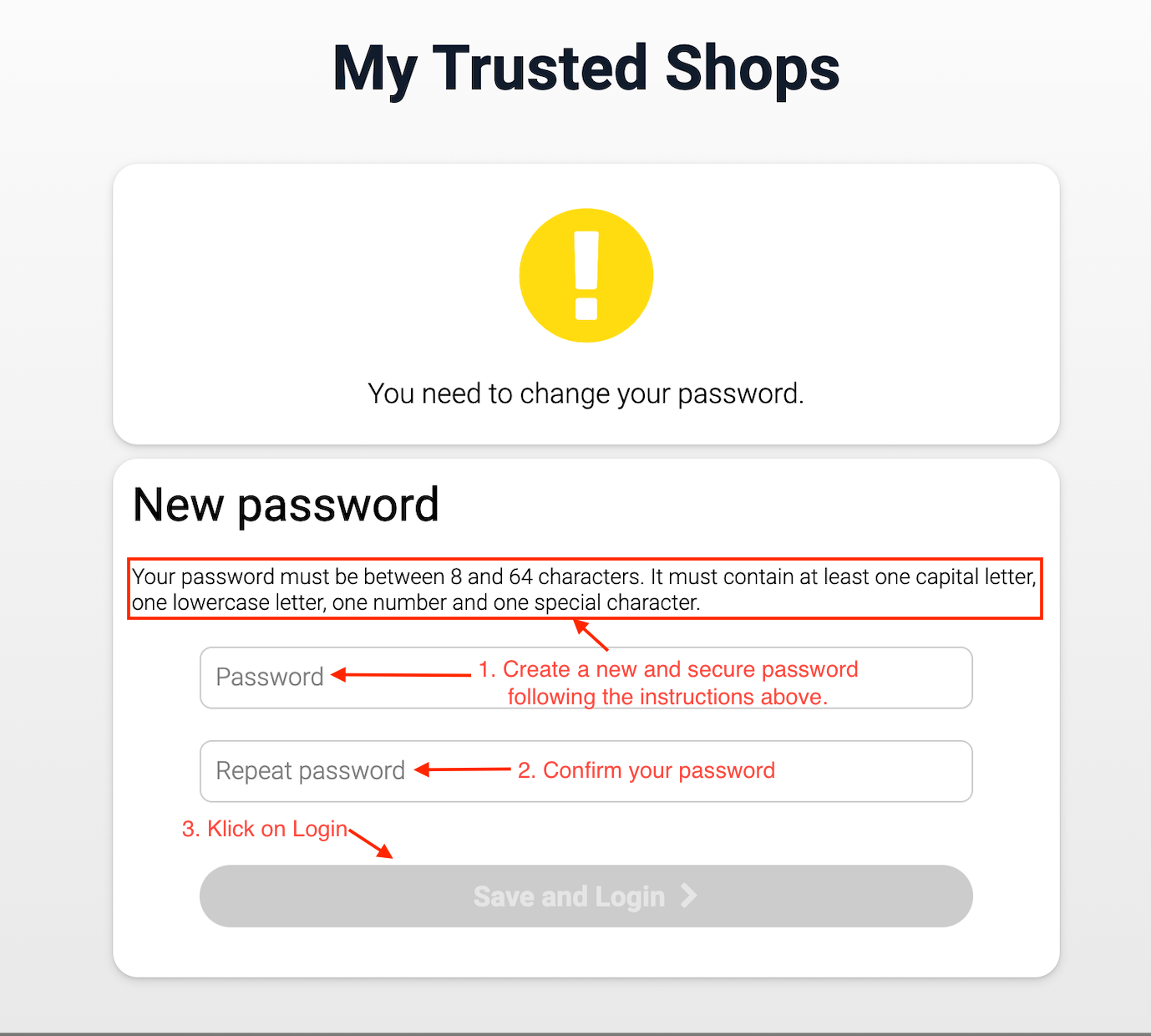
4. As a result of your new password, you will be automatically logged in and find yourself in your Trusted Shops account. You can now continue with point 1./4. for the rating change for existing accounts.
*Still need help? *Contact Us